Adelaide's TechGuy

Solving Computer & Technology Problems - Technology Commentator on FiveAA , PowerFM

Filtering by Category: Music

iTunes - Authorize Or Deauthorize That Computer

Apple will allow you to place your iTunes account on 5 computers .

That means you can duplicate your music and account on these computers.

However you will need to "authorize" these computers with your Apple ID 

If you have stopped using a computer , don't forget to "deauthorize" that computer

Once a year you can "deauthorize" all computers ( whether you have them or not) and then " authorize" the computers you are using.

Remember if you cannot find your Apple ID , here is a link to help you.

What Is My Apple ID

Looking For Free CD DVD Burner Software

Looking for a free software alternative that will cater to most of your CD , DVD burning needs.

There are 2 alternatives to use

First you could use CD Burner XP

CD Burner XP will:

  • Burns discs - Data and Music
  • Creates boot discs 
  • Converts iso's 

It is suitable for Windows XP , Vista , 7 and Windows 8

And remember it is Free , I have been using it for a while now and highly recommend it

More information and the download are available at CD Burner XP

The second chioce is InfraRecorder

"InfraRecorder is a free CD/DVD burning solution for Microsoft Windows.

It offers a wide range of powerful features; all through an easy to use application interface and Windows Explorer integration.

Features

Create custom data, audio and mixed-mode projects and record them to physical discs as well as disc images.

Supports recording to dual-layer DVDs.

Blank (erase) rewritable discs using four different methods.

Record disc images (ISO and BIN/CUE).

Fixate discs (write lead-out information to prevent further data from being added to the disc).

Scan the SCSI/IDE bus for devices and collect information about their capabilities.

Create disc copies, on the fly and using a temporary disc image.

Import session data from multi-session discs and add more sessions to them.

Display disc information.

Save audio and data tracks to files (.wav, .wma, .ogg, .mp3 and .iso)."

Radio Segments For 1st May

Worst Technology Habits

We all have bad habits but what are the worst technology habits you could have ?

  • Leaving computers / technology unattended in public places
  • Using Devices With Dirty hands
  • Bad Posture while using devices
  • Working with your laptop on your lap
  • People that have one account, multiple users
  • Texting at the table
  • Don’t just throw computer equipment in the bin

AntiVirus Software

21% of australians do not have antivirus protection and appear to have stuck with their trial one that has expired or do not have one at all 

I recommend Microsoft Security Essentials for a Free version or Nod32 from Eset for a paid version

On This Week In Technology

10 years of iTunes

  • It was the start of the digital music business
  • Steve jobs started the 99c a track and lets remember that Sony at the time wanted to charge people $3 a track
  • When iTunes started it had 200,000 songs and the top selling song was U2s “ Stuck in a moment “ and the top selling album was Becks , "Sea Change"
  • There are now 28 million songs in the iTunes store

App Of The Week

See what your dog or cat is thinking with this iPhone app

Cross Tuner for iPhones

Move iTunes Library To A New Computer or Hard Drive


If your iTunes library is getting too big for your computer , you can consider moving it to an external hard drive.
Here are detailed instructions on how to do this from CNET
This is a big job and the transfer will take a while depending on the size of your library.
There is also a video tutorial available.

Looking for instructions on moving your iTunes library on a mac , here is a great article from Apple , Moving Your iTunes Library

Looking for instructions on moving your iTunes library on Windows , here is a great article from Apple , Moving Your iTunes Library

PowerFM Segment For 5th Dec

This Week In Technology

The 20th anniversary of the text message with "Merry Christmas" being sent from a computer to a mobile device by Matti Makkonen

It was however 2 years later that Nokia released a mobile phone that let you easily write messages on

8 trillion messages were sent last year

Discussion Points

Businesses Having Their Customers Credit Details Stolen

The strong advice was making sure your security software was up to date , I would add in that they should have kept their operating systems up to date first.

For example , If you are running  a Windows XP pirated copy , you are indeed very vulnerable 

There was some good advice from the Australian Federal Police

"Credit cards should be kept in a secure place, ATMS should be checked for any unusual attachments, personal details, including PIN numbers, should be protected, financial statements should be checked continuously, mail boxes should be secured and, if possible, chip and pin security implemented on credit cards.

"These arrests are also a timely reminder that all small businesses need to check they have the correct security measures in place, look to upgrade their systems and use strong passwords so they minimise the risk of data compromises."

iTunes

The new iTunes ( version 11 ) is out now and is a big change and a welcome update to the old version.

It is available for both Windows and Apple computers.

There is a much cleaner look to it as you can see from the image below and there is a lot more cloud integration. 

Learn about the new iTunes

Browser Hijacks

Internet Explorer , Firefox , Google Chrome should use traditional search engines such as 

  • Google
  • Bing
  • Yahoo
  • Web Wombat

Not ones like :

  • Mywebsearch
  • Searchonme
  • Mocaflix
  • Babylon Search

A browser hijacker is a form of malware, spyware or virus that replaces the existing internet browser home page, error page, or search page with its own.These are generally used to force hits to a particular website. If this happens on your computer you need to get it fixed.

App Of The Week

Santa Hats

Put a xmas hat on your iphone photos

Download Link For Santa Hats


The New iTunes

The new iTunes ( version 11 ) is out now and is a big change and a welcome update to the old version.

It is available for both Windows and Apple computers.

There is a much cleaner look to it as you can see from the image below and there is a lot more cloud integration. 

To learn more about the new iTunes check out the links below

Lifehacker - How To Use iTunes 11

CNet iTunes 11 Tips And Tricks

Macworld - Hands On With iTunes 11

5AA & Power FM Segments For 5th Sept

Power FM

On This Week In Technology

1989: A computer in Paris read files on traffic violations and then mistakenly sent out letters charging 41,000 traffic offenders with crimes including murder, drug trafficking, extortion, and prostitution. 

Discussion Points

Good news with one week to go till we know about the new iPhone , latest rumour is that there will be new earphones , have to better than the old Apple earphones and this time looks like they are in-ear ones.

Who owns the music you buy on iTunes , Bruce Willis is not happy as there was a story claiming he wanted to leave his iTunes music collection to his children.

However when you buy a song from iTunes, you’re not actually purchasing the song. You’re purchasing the rights from Apple to listen to the song, and getting a copy so you can do so.The same applies with Amazon music.

App Of The Week

Expendables 2 App , put yourself in a trailer 

http://itunes.apple.com/us/app/expendables-2-infinite-trailer/id542488089?mt=8

5AA Spot For 4th Sept

"Internet Troll:, a troll is someone who posts inflammatory, extraneous, or off-topic messages in an online community, such as a forum, chat room, or blog, with the primary intent of provoking readers into an emotional response or of otherwise disrupting normal on-topic discussion."

For Twitter : block them , don't respond or retaliate.

With Twitter, you have the option to keep your Tweets public which are visible to everyone or to protect your Tweets.

Protected Tweets require  approval of each and every person who view that account's Tweets, like a circle of acquaintances. 

With Facebook you can unfriend where only your Facebook friends can contact you or block which will prevent the person from seeing your information, including posts and updates.

You should report abusive content to Facebook.

Report Abuse On Facebook.

Also make sure you keep a copy of the abuse if you have to report it to authorities.

Power Fm Spot For 27th June

On This Week In Technology

in 2009 Steve Jobs returned to work at Apple 

Discussion Points

Did you know you have an Facebook email address?

yourname@facebook.com

Email sent to your address will end up in Facebook messages

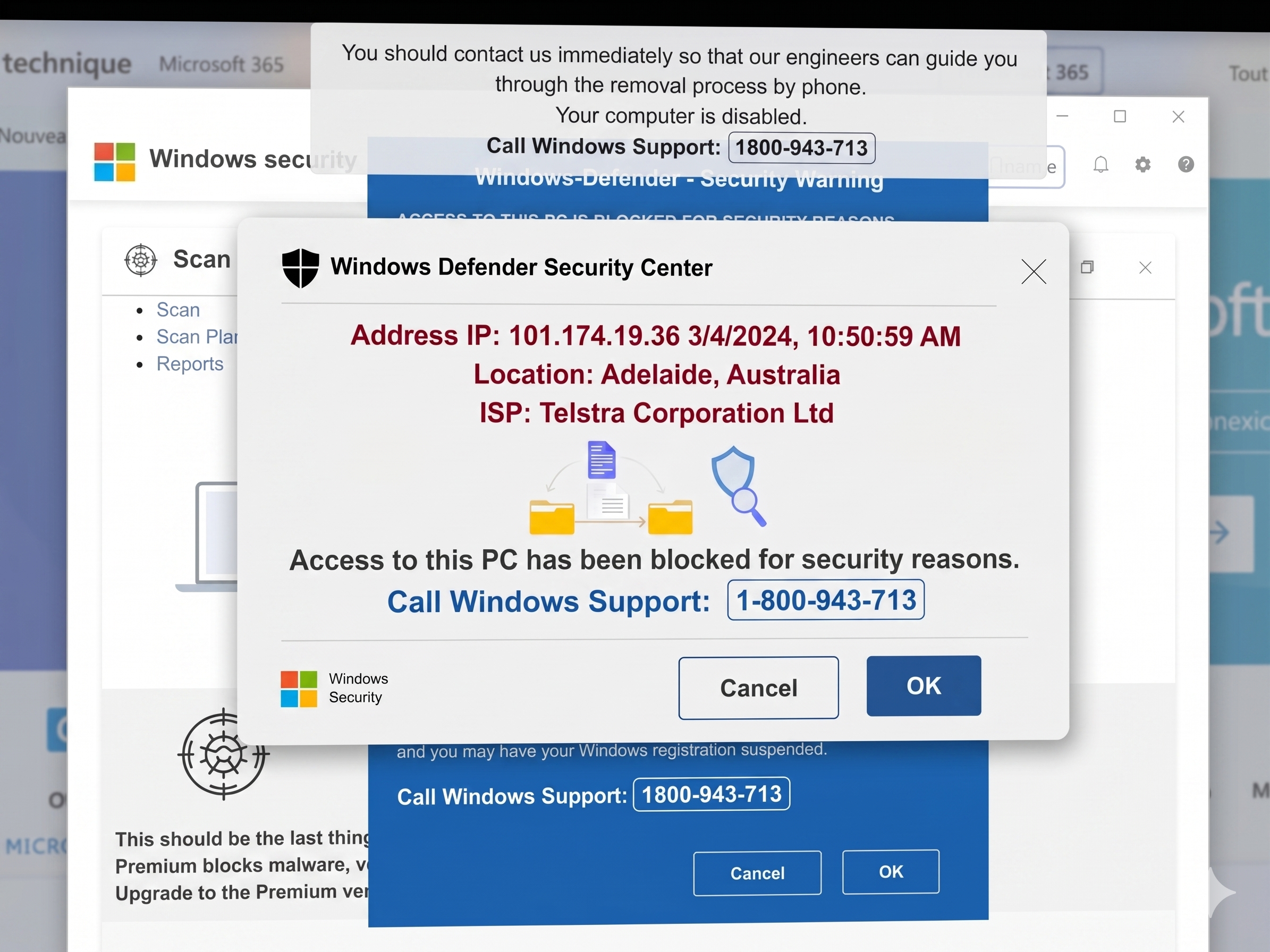
If you get a call from someone telling you they are from Microsoft saying there are problems , infections with your computer , it is a scam and dont give out your credit card details 

App Of The Week

The Art Of Rap

You too can be a rapper

Power FM Spot For 23rd May

On This Week In Technology

This week in 2007 Google Street View was released

News

Microsoft have released a social network site at www.so.cl ( pronounced social ) , just like Facebook but without the people. 

Software Pick

Are we seeing the death of the CD with streaming music services  , Spotify , MOG , Rdio , Blip

Spotify is free for the computer and progresses to a paid version 

Get Music Off An iPod

You will sometimes need to get songs that you have off an iPod that you may have previously synced with another computer because: 

  • You do not have access to that computer 
  • Lost all your old iTunes data after a computer crash
  • You are trying to consolidate just "your music"

If you are on a Windows machine try iDump which you can download from here.

Download iDump

After it has been downloaded run the installer and follow on screen instructions.
Then go to programs and start iDump
In the settings tab , make sure you have designated an output folder for the music files.
Connect your iPod.
You will now see all the songs that are on your iPod
Place check marks next to the music that you want
Click "Start Copy" in the upper right hand corner.
The songs will still be on your iPod and copies will be on your computer.
If you are on a Mac try these 2 links which should help


One iTunes Account For Every User

As more and more of us get multiple iOS devices , ( the iPhone, iPad , iPods) the days of sharing our iTunes accounts have come to an end. 

You should have a separate iTunes account for every family member so that only your music , apps , calendar etc are on your device not on everyone else's.

I am constantly talking to parents who have their childrens iTunes music on their iOS device.

When setting up the other iTunes accounts do it with a iTunes Gift Card , this works well with teenagers and children.

iTunes Issues On Windows - One Solution

If you are having issues with iTunes on windows, you can uninstall it , then download an up to date iTunes install from Apple and install.

Your iTunes data will still be there and will load when you start iTunes.

Don't forget to log in to your iTunes account and authorize that computer.

You can also choose to install Quicktime separately from iTunes which can help with issues with Windows in iTunes.

iTunes Install

Quicktime Install

Lets Move iTunes To A New Computer

One question I am constantly asked is about how to move iTunes.
This will explain the process required for moving your music and other iTunes media while keeping playlits , ratings etc and without rebuilding your library.
First, open iTunes.
Then go to File - Library - Organize Library - Consolidate Files.
This will make sure that all your music is in one place.
Once this has been completed, you can exit iTunes.
Now copy your iTunes folder, which should be under My Music (unless you’ve moved it) to your external drive.
If the computer you are moving your iTunes from will no longer be used then "deauthorize" that computer.
Open iTunes again and go to Store - Deauthorize This Computer.
Enter your Apple ID and password.
Next install iTunes on your new computer.
Authorize the new computer.
Copy the iTunes folder from the external drive to the Music folder of your new computer.
Now when you open iTunes, hold down Shift while you double-click the launcher ( iTunes shortcut)
You’ll then be asked to choose an iTunes library
Look for iTunes Library in the folder you just copied to your PC.
You should now have your library, with ratings and playlists on your new PC.

Windows Media Player & Ripping CDs

The default when ripping CDs for Windows Media Player is WMA ( Windows Media Audio ) which is fine if you are only going to play it with Windows Media Player.

However supposed you want to play your WMA files in iTunes.
Well when you try and open the files in iTunes it will convert them to AAC so you can play them in iTunes.

What you should do is change the default's in Windows Media Player to MP3 so you can play them in iTunes and Windows Media Player.

While you are adjusting the preferences increase the audio quality to at least 192kps.

This will result in a larger file , however for audiophiles , a clearer sound .

Looking for more information check out these article:

7 Tutorials on How to Rip Cds in Windows Media 12

How to rip CDs in iTunes

Share Your Music & Video's Between Computers & iPad,iPhone ( Part 2)

The next part in sharing your music & videos between your computer and your iOS devices (iPad, iPhone) is to be able to see the shared library from your computer on your device.

Remember to do this you need the latest versions of iTunes and the latest update for your iOS device

First open up the Settings icon on your iOS device.

Then go to the iPod tab

Here you will see the Home Sharing section 

Enter in your Apple ID and password

Now click on the iPod icon on your device

Go to the More tab on the bottom right and click on it

Now you will see a Shared icon 


Click on the Shared icon and you will see the Shared Libraries tab and the name of your library from the main shared computer


Share Your Music & Video's Between Computers & iPad , iPhone ( Part 1)

With the introduction of iOS4.3 and the new version of iTunes it is now easier than ever to share your music & videos between your computers , iPad ,iPhone.

If you are have your wireless network it means you can stream - listen to , your music collection from the computer with your main iTunes account on your other computers and devices (iPhone,iPad ) on the network.

This means you can turn on the one computer , start iTunes then listen to your music etc from your iPad anywhere your network stretches to.

So how do you do this?

First on the computer with your main iTunes account go to Advanced then click on Turn On Home Sharing 


You then enter your Apple ID and password

You will then see that Home Sharing is now on

On the menu side you will now see the following

You can now see that your library ( in your case it wont be Richard Pascoe's library but your library )is displayed for you to access in iTunes.

Tomorrows post will show you how to set up home sharing on your iPhone , iPad 

How To Create A New iTunes Library

iTunes libraries offer you the chance to sort your music by genre, mood, season or era. Libraries make accessing and searching for your music much easier. You can file holiday music in a separate library, so that it is not included on your regular rotation of songs.
I am sometimes asked , how do I create a new Itunes library and this can be so:

  • Your music library is out of control with multiples and you cant be bothered sorting them out
  • You want to file ceratin music catagories in sepearte in  libraries

Whatever your reason it is fairly easy.

When you open iTunes just hold down the shift key and a dialogue box will appear. 

Click on "Create Library" 

You can now begin putting music in your library.

If you want to share the music in your current library with your new library you should click "Copy Files to iTunes Music Folder.

This stops you from erasing the song from the original library.

How do you look for shared libraries ?

On iTunes open edit and select preferences

Look for shared libraries by clicking "Edit," then "Preferences." Then click "Sharing" and check "Look for Shared Libraries."