Adelaide's TechGuy

Solving Computer & Technology Problems - Technology Commentator on FiveAA , PowerFM

Filtering by Category: iTunes

Where Do I Find My Apple ID

If you have and use iTunes with your iOS device (iPhone , iPad , iPod ) and or your computer , Windows or Apple then you have an Apple ID 

Sometimes you will wonder where your Apple ID is or what your Apple ID is.

Your Apple ID is especially important when installing iPhone's , iPads and with Mountain Lion you can set your Apple ID in system preferences which can give you the option of resetting your computers password.

OS X : Apple ID can be used to reset your user account password

With iCloud  your Apple ID is even more important

If you follow the link below you will go to the above page where you can:

  • Manage your account
  • Change your password

Apple ID

Power FM Segment For 12th Dec

On This Week In Technology

On this day in 1980 Apple became a publicly listed company with their share price starting at $22 and today sits at $539 

Next year will we see:

  • An Apple TV
  • An even thinner iPad
  • 2 new iPhones

Discussion Points

Be Careful Of E Cards 

Are they safe? Maybe , make sure you know who they have come from

Should I open them ?

How to avoid fake e-cards

  • Spelling mistakes -- e.g. congratulation! Or your name is misspelled.
  • Errors in the message -- e.g. it says you sent a card, not received one
  • Beware of vague labels such as “co-worker,” “family member” - or no name at all - in ecard notification emails
  • Legitimate ecard sites will always include the sender’s first and last name in this type of email.
  • Even if a full name is provided, delete any ecard notification emails from senders you don’t recognize.
  • Don’t be fooled by an authentic looking email from a reputable ecard company. Scammers have become quite skillful at replicating bona fide correspondence from established sites you know and trust. (But do pay attention to tell-tale typos and grammatical errors that may look fishy.)
  • If you’re at all in doubt, do not click on the site link-back to retrieve the ecard in question. Instead, go to the real ecard site directly (not via the link), find the pick-up area on the site, and manually type your ecard retrieval information. (Do not copy/paste any information from the link, as this may take you to the rogue site you’re trying to avoid.) If no card awaits you, the email was a hoax.

Legitimate E-Card Sites

Stop installing Toolbars

Toolbars and browser add ons can interfere with the effective operation of your computer and or web browsing experience , especially windows update

Uninstall them or use the Toolbar uninstaller to remove them ( read the article carefully about installation)

Toolbar Uninstaller

Hot Job In China currently - Fart Smeller 

More Details , Click here :How About An Exciting Career As A Fart Smeller

App Of The Week

The 12 Days Of Christmas App - receive free songs, music videos, apps, books and TV episodes for 12 days from Dec 26th 

iTunes 12 days Of Christmas App


iPad - iPhone Issues - What To Do

So you are having issues with your iPhone or iPad or both.

  • Apps not working or updating 
  • Syncing issues 
  • Feeling slow

Here are a few basic steps to go through.

  1. Make sure iTunes is updated
  2. Make sure your device (iPad or iPhone) is running the latest ios - you will see this when you sync with your computer or check in Settings - software update
  3. Conduct a hard reset on the device - keep fingers on power button and home button and leave them there till you see the Apple logo appear then let go - do not release them when you see the turn off symbol
  4. Reinstall the ios - this will wipe your device , reload your settings and apps , then reinstall your operating system (ios) on your device - this is done when you sync with your computer

It's The New iPad Review

On friday morning I joined the queue for the new iPad.
I have owned both the iPad and the iPad2 and have seen the evolution of what Apple has achieved, develop over the last 2 years to now the "new iPad".
We need to remember that the tablet is not an original device , with Microsoft releasing tablet software for devices in 2001 but Apple have been responsible for putting into the mainstream of consumer products.
Apple's new iPad is the standard on which all the other tablets will be compared to.
Apple have taken a great device , added some tweaks and a high retina screen and made it even better.
Are their radical changes , no , but there was no need to as the iPad2 was already a great device and the leader in tablets in the market place.
They have just made it even better.
The screen, which is high retina ( more pixels than on a high def televison) is magnificent to look at.
Great color , great definition.
It is the best display I have seen , bright , clear and puts others to shame and sets the benchmark for displays.
After spending some time with the new ipad , you will not look at a computer screen the same way.
The high retina screen means the apps which take advantage of this will take up more hard drive space so the 32GB iPad is probably the sweet spot for a trade off between space and price.
Effective use of the cloud is imperative to the iPad as you don't need to have everything on the iPad but you do need access.
So how does it compare to other tablets on the market?
I also have a Samsung Galaxy Tab 10.1 and while it a reasonable device ( the subject of another post to come )  the new iPad is far and way a much better device ( sorry Android users).
The new iPad is quicker than the iPad 2 , the graphics speed has improved so gaming is even better than before and is an ideal gaming device, Sony Playstation Vita potential buyers , take note.
The iPad has always been about the apps and after upgrading you will find many apps need to be updated as they take advantage of the high retina screen.
Photos are magnificent on the new iPad and with the new iPhoto app , editing photos on the iPad can be done with ease.
I have always considered the iPad to be primarily a content consumption device and a limited content creation device.
This is starting to evolve now with increased content creation , not quiet there yet with office documents on the word processing front but with apps such as:
  • Garageband - audio
  • iMovie - movie editing
  • iPhoto - photo management and editing
it is quickly changing.
Conclusion
The new iPad is the tablet that all other tablets will be judged by which is great for competition and great for innovation.

One iTunes Account For Every User

As more and more of us get multiple iOS devices , ( the iPhone, iPad , iPods) the days of sharing our iTunes accounts have come to an end. 

You should have a separate iTunes account for every family member so that only your music , apps , calendar etc are on your device not on everyone else's.

I am constantly talking to parents who have their childrens iTunes music on their iOS device.

When setting up the other iTunes accounts do it with a iTunes Gift Card , this works well with teenagers and children.

What Do I Have On My iPad?

One of the appealing aspects of the iPad is what apps have you bought to perform the tasks that you need from your iPad.

The following are my top apps for getting work done and for using my iPad:

  • Pages , for editing and creating word documents
  • Numbers , for editing and creating spreadsheets
  • Flipboard , a social magazine app for viewing information and web sites
  • File Viewer , for transferring PDFs that I don't want to appear in iBooks
  • Dropbox , for access to all my files synched with Dropbox on my computer , allows you to also download and save files on your iPad.
  • Big Calculator , everyone needs a big calculator
  • Dictionary , for when you are stuck for a word
  • Evernote , the best note taking application that can be synced with your phone and computer
  • Remember The Milk , the task manager solution.

I currently have 76 apps on my iPad but the ones I have listed are all designed to help me in my job.


5AA Adelaide's Techguy Spot For 14th June

I will be putting up the show in the next couple of days

Discussion

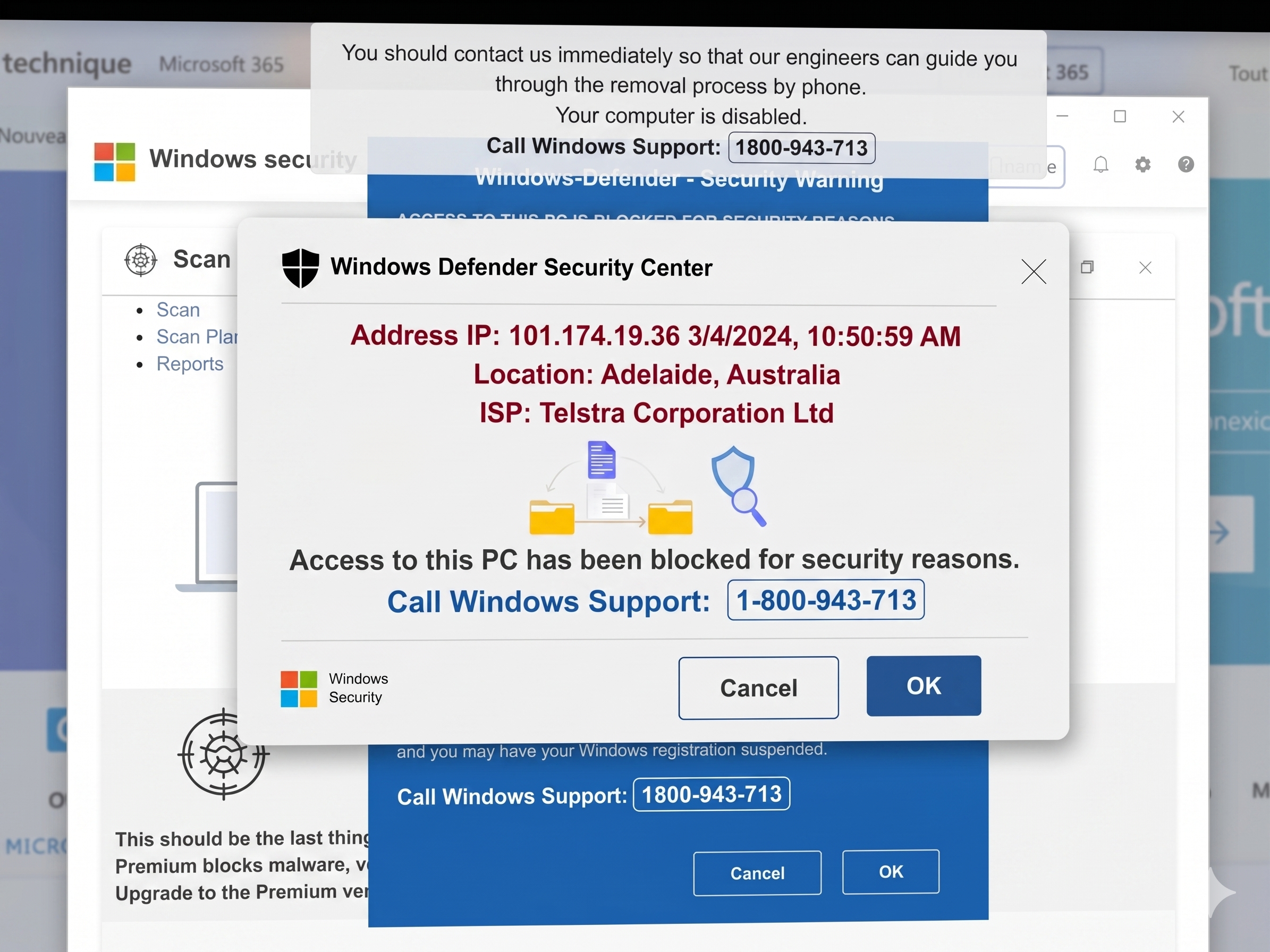
People are getting calls that reportedly come from Microsoft  telling you that you are infected ( Bogus) and have a virus / virus/s on your computer.

This is fake , just hang up 

They will try and get you to pay money via credit card and install a program to access your computer , DO NOT DO IT.

Listener Question

My task bar has moved to the top of the screen , how do i get it back to where it should be.

Answer

Follow these instructions from Microsoft

http://support.microsoft.com/kb/253679

Listener Question

Can I have a Personal Hot Spot ( uses the 3G network to establish a wifi connection ) on my iPhone to enable my iPad to get on the internet?

Answer

Yes you can , make sure you are running both the latest iTunes and the latest iOS for the iPhone.

You will find it under the settings tab of your iPhone

Here is a link to an article on the iPhone hotspot.

iPhone Personal Hotspot

Listener Question

If my computer is infected with virus's malware or has started to work , not quiet right, what are my options.

Answer

If it is a recent issue you can perform a system restore

System Restore instructions

If it has gone beyond that you need to format the hard drive and reload the operating system

Format and Reload instructions


How To Speed Up The Sync On Your iPhone / iPad

If it taking a while to sync your iPhone / iPad with your computer there are a few things you can do to speed up the process.

Number 1

Cut down on your apps. If you are not using or have never used an app delete it from your device

Number 2

Keep your software up to date. Make sure you are running the latest versions of your operating system and the latest versions of iOS for the iPhone and the iPad and the latest versions of iTunes.

Number 3

Photos on your iPhone / iPad that you have taken should be deleted from the device after you have synced a copy to your computer.

Number 4

Sync to a usb port on your computer not a usb hub , it will be quicker

Number 5

Sync more than you are doing now. Many people only sync once a week / fortnight. The more often you sync the quicker it will check and backup your data


iPad 2 Review

So I stood in line at Jb hifi at the launch on Friday to get the iPad2. 

So why did i want the iPad2?

Well from all reports it was quicker ,a lot quicker , and as i have made the iPad such an integral part of my workflow I decided to get the iPad2.

Setup

Setting up the iPad2 is very easy , I just plugged it in to my main computer , running my iTunes account , iTunes recognised the iPad and restored my backup from my previous iPad. I now had all my apps and the majority of my previous setup on my new iPad2. The only thing you have to add in are passwords for your mail account and your iTunes passwords to purchase apps.

In all this probably took about 10 minutes.

Size

When comparing side by side with the original iPad it is thinner ( a lot thinner ) and logic would dictate lighter but to be honest I am sure it is but when holding both in separate hands , I cannot notice the difference. I also thought the first iPad was light.

Speed

The first thing you notice is how quick the new iPad is and that is due to the new dual core A5 chip.

Apps load quicker , a lot quicker. Switching between pages in PDFs and books in iBooks are noticeably quicker with pages in PDFs being rendered for viewing far quicker.

Safari loads far quicker now making web surfing even more enjoyable on the iPad2 and can keep those pages in memory , along with open apps thanks to the new processor.

Games are noticeably quicker thanks to the new processor and makes it the ideal portable gaming device.

Remember this has 9 times the graphic performance of the previous iPad ( according to Apple)

Design

The design has changed slightly from the first iPad 

The buttons are now tucked away towards the back of the iPad2 so that you notice them even less now , but really I cant say I noticed them before and the shape of the back of the case is more curved.

The screen resolution is the same and it is still the ultra glossy screen.

The Camera's

The new iPad has front and rear camera's and for the life of me why anyone would want these is beyond me , yes it has Facetime for video chatting and I have shown below some photo's taken with the higher resolution rear camera and one with the front facing camera.


If you are going to buy this to take photos well , how can i say this kindly , think about what you will look like holding up the iPad to take these photos.

The Apps

The iPad has always been about the apps.

The Apps load far quicker now and keep more in memory but for me the killer app on the iPad2 is Garageband which takes advantage of the new processor.

You can learn more about Garageband for the iPad at this review from Techworld

In Conclusion

The first iPad set the benchmark for the tablet category and this new device again set it apart from the competition and encourage developers and companies to develop a product that can compete and surpass the iPad2.That is what computing and technology is all about ,making and developing better products that can be used and adapted for whatever field you choose and use the device on.

Apple have driven this field with the iPad range and the other manufacturers are striving to catch and surpass them , this encourages innovation in technology.

The iPad2 is an excellent device , quick and user friendly and as I said about the first iPad , this is a content consumption device not a content creation device but with the iPad2 and the new Apps that can take advantage of the new processor that line is starting to get blurred.

For me it was always about speed as the iPad is such an integral part of my work flow and that investment in the iPad2 should be paid back.

So if speed matters then upgrade to the new iPad.

One last comment.

It still doesnt run flash and after having the iPad for over a year , do I miss flash , let me think for a moment , no.

If I want a cpu , battery draining , security risk, piece of software as Adobe flash is currently ,then i would look elsewhere than an iPad , however I do hope that Adobe see the light and fix all the issues that Flash currently has.

Share Your Music & Video's Between Computers & iPad , iPhone ( Part 1)

With the introduction of iOS4.3 and the new version of iTunes it is now easier than ever to share your music & videos between your computers , iPad ,iPhone.

If you are have your wireless network it means you can stream - listen to , your music collection from the computer with your main iTunes account on your other computers and devices (iPhone,iPad ) on the network.

This means you can turn on the one computer , start iTunes then listen to your music etc from your iPad anywhere your network stretches to.

So how do you do this?

First on the computer with your main iTunes account go to Advanced then click on Turn On Home Sharing 


You then enter your Apple ID and password

You will then see that Home Sharing is now on

On the menu side you will now see the following

You can now see that your library ( in your case it wont be Richard Pascoe's library but your library )is displayed for you to access in iTunes.

Tomorrows post will show you how to set up home sharing on your iPhone , iPad 

Understanding iTunes' sorting tags

This is  a great article from Macworld on iTunes and understanding the sorting tags.

Even though it is based on the Mac it applies to Windows users as well

"iTunes lets you apply and edit information about your content; this metadata is called “tags.” Tags include the name of an item, its creator (or artist), an album name, a track number, and more.

But there are some iTunes tags that can be a bit confusing: the Sorting tags.

Here’s a look at what these tags are for and how you can use them to your advantage."

Understanding iTunes' sorting tags.

How To Create A New iTunes Library

iTunes libraries offer you the chance to sort your music by genre, mood, season or era. Libraries make accessing and searching for your music much easier. You can file holiday music in a separate library, so that it is not included on your regular rotation of songs.
I am sometimes asked , how do I create a new Itunes library and this can be so:

  • Your music library is out of control with multiples and you cant be bothered sorting them out
  • You want to file ceratin music catagories in sepearte in  libraries

Whatever your reason it is fairly easy.

When you open iTunes just hold down the shift key and a dialogue box will appear. 

Click on "Create Library" 

You can now begin putting music in your library.

If you want to share the music in your current library with your new library you should click "Copy Files to iTunes Music Folder.

This stops you from erasing the song from the original library.

How do you look for shared libraries ?

On iTunes open edit and select preferences

Look for shared libraries by clicking "Edit," then "Preferences." Then click "Sharing" and check "Look for Shared Libraries." 

Transfer Documents To The iPad With iTunes

One of the big questions I have been asked and are still asked is about transferring word documents etc to the iPad. Here is the method to transfer word , excel and powerpoint documents  through itunes.

Plug your iPad into your computer and allow it to sync first.

Then go to your apps tab

Ipad apps 1
Pan down to the bottom of this page and you will see the following , this is where some people are getting caught when transferring documents to the iPad as the file sharing section lies here.

IPad apps 3
If you have documents that you have created on your iPad they will be listed here.

In the bottom right hand corner is an ADD button and a Send To button.

It is the ADD button that we are interested in.

When you click on the ADD button you will be given a dialogue box to find the document you want to transfer to the iPad . The example here is from snow leopard but a similar window will open up for Windows.

IPad 5
Select your file and this will be added to your iTunes documents

IPad 6