Adelaide's TechGuy

Solving Computer & Technology Problems - Technology Commentator on FiveAA , PowerFM

Filtering by Category: Security

Protect The Information On Your iPad / iPhone

The information that you carry on your iPhone and or iPad can be protected by turning on the Passcode Lock.

This can be found by:

  • Going to Settings on your device 
  • Then go to the General tab
  • Then go to Password Lock

Here is where you turn the Passcode on and you can select a simple 4 digit passcode or if you turn that off you can enter a longer passcode.

There is also the Erase Data tab whereby 10 failed attempts at entering a Passcode will wipe and erase all data from the iPhone or iPad

Say Goodbye To Outlook Express

I have seen several machines in the last few weeks that are still running Outlook Express and they all are having issues.

As Microsoft has not updated Outlook Express in years , but all the other software and operating systems has marched on with time.

So what are the free options now?

The paid option is obviously Outlook , a part of Microsoft Office

Time has well and truly passed Outlook Express by.

It really is time to switch for features and security enhancements.

Here is a link to help you with the transition from Outlook Express and getting your emails and contacts out of Outlook Express.

Export Mail and Contacts From Outlook Express

A Back From Holiday Quiz

So you have just returned from your christmas / new year break , what is the first thing you should do when you turn on your computer.

  1. Check Facebook
  2. Check Windows Update and perform all updates
  3. Check your emails

The answer is number 2 , make sure your computer is up to date before checking and opening up any emails as you may set off a malware / virus on your computer.

Lastly feel free to check Facebook after your emails.

10 Steps To Follow For A Virus Free Computer

How much time and money have you spent in having your computer repaired because you have become infected with viruses and malware ?

Infection from virus’s , malware can be avoided if you follow some simple BEHAVIORAL rules.

Remember if you get infected it is your fault not your computer's.

The first point to remember is that running antivirus software will not prevent you getting a virus.
Antivirus software is there in the hope that once you have a virus on your computer it will be able to remove it.

Here are 10 points to follow that should mean an infection free computer
.

NUMBER 1

Update your operating system regularly.
Turn on Automatic Updates on Windows and apply all critical updates immediately.
Check optional updates on a regular basis , they can in some cases trigger off critical updates.

NUMBER 2

Update your software.
PDF readers , Office , Flash 
Adobe are responsible for  numerous infections unless patched.

NUMBER 3

Don’t open email attachments unless you know that the person sending it to you ,really sent it.
Viruses will more often than not come from someone you know.
Email attachments are the number one way that viruses , trojan horses and malware can get onto your computer.

NUMBER 4

Make sure HTML in e-mail is turned off as just by previewing these e-mails you can be infected especially if your computer is not fully patched.

NUMBER 5

Don’t click links in e-mails.
You could be taken to a phising site or this may lead you to install malicious software.
You should copy and paste the link into your browser or type the link into your browser.
HTML e-mail can hide the actual destination of that link so this is another reason to turn off HTML in your email.

NUMBER 6

You should only download files from places you know are absolutely safe.
The use of file sharing software often means you will download malware and Trojans without knowing.
If you download files you should quarantine them in a folder and then scan them a few days later with an updated antivirus software.

NUMBER 7

Have a firewall.
Your broadband router is the best firewall
You should also make sure that in Windows XP , Vista and Windows 7 the firewall is turned on.
There is no need to buy a firewall solution.

NUMBER 8

You should browse the Internet with the latest editions of browsers Firefox ,Internet Explorer 8 (IE9) or Google Chrome

NUMBER 9

Switch to a web based e mail program such as G Mail which will scan your emails before they arrive on your computer
.

NUMBER 10

Have an antivirus solution , the FREE one I recommend is the Microsoft Security Essentials program and the PAID one I recommend is NOD32

These are programs which run quietly in the background without taking over your computer .
I do not recommend anything from Symantec , McAfee , Kaspersky as they are overkill and can and do result in slowdown of your computer.
Remember if you get infected it really is your fault.

How To Run The Microsoft Malicious Software Removal Tool

Every month Microsoft with Windows Update update a program called the Microsoft Malicious Software Removal Tool.

This is a companion tool to your antivirus product and is not a replacement.

The Microsoft website states:

"The Microsoft Malicious Software Removal Tool checks computers running Windows 8, 7, Windows Vista, Windows XP, Windows 2000, and Windows Server 2003 for infections by specific, prevalent malicious software—including Blaster, Sasser, and Mydoom—and helps remove any infection found.

When the detection and removal process is complete, the tool displays a report describing the outcome, including which, if any, malware was detected and removed."
To be safe you should run this once a month in deep scan mode.


To activate and run this tool ( you will not find it in the program list ) in Vista and Windows 7 , 8  go to the search box and type in mrt.

In Windows XP , start run , type mrt.


Press next and you will see the following screen 


Ensure that you want to do a full scan , press next and once it has started just let it run.
A full scan is likely to take several hours so just leave the computer to run.
It will thoroughly scan your computer and remove anything that it finds , a comprehensive list of what it detects and removes can be seen in the software.
Remember this is no substitute for an antivirus program.

5AA Spot For 24th Nov

Keep Track Of Your Mobile Phone / Computer If Stolen

Use Prey ( free and paid editions ) – iOS devices , Android ,Windows , Apple  

If you are use iPhone / iPad make sure "Find my iPhone / iPad" is turned on.

Instructions on Find My iPhone

Windows 8 Phones

Details of the new Windows 8 handsets

Toolbars

If your internet browser looks like this you need to stop installing toolbars and get them removed .

Try Toolbar Cleaner , but please follow my instructions

5AA Spot For 20th Oct

This is some of the subjects we discussed on 5AA on Saturday.

Virus Issues

How do you get infected?

Usually infected by clicking a link in an email

  • Banks don’t send you emails
  • Parcel delivery companies don’t send you emails 
  • The dancing cat is not that funny
  • You downloaded what ????
  • Pirate is not your middle name ( don’t ring your ISP complaining that you cant download your favourite movie as they keep stopping the download )
  • Trying to load an infected web page - Try Google Chrome it is safer 

You think that because you have an antivirus solution you will not get infected (that’s hilarious )

So why do these infect your computer 

You haven’t updated your computer - plain and simple - this is the first line of defence

  • Windows XP – check manually for automatic and custom
  • Windows Vista & 7 – check for optional and automatic 
  • You haven’t updated your software , Microsoft Office , Adobe Flash ( hurry up and die already ) and Adobe Reader 

How Do I Get Rid Of Them ?

They do not go away by themselves

  • Bad infections call for the “ scorched earth policy “
  • There are software solutions but they can leave some residual damage but for some this is fine as they do not want the backup , format , reinstall , reload and update solution

Microsoft Security Essentials - the free solution from Microsoft

Apple ID - Change your password and details here


10 Email Subjects You Should Not Bother Opening

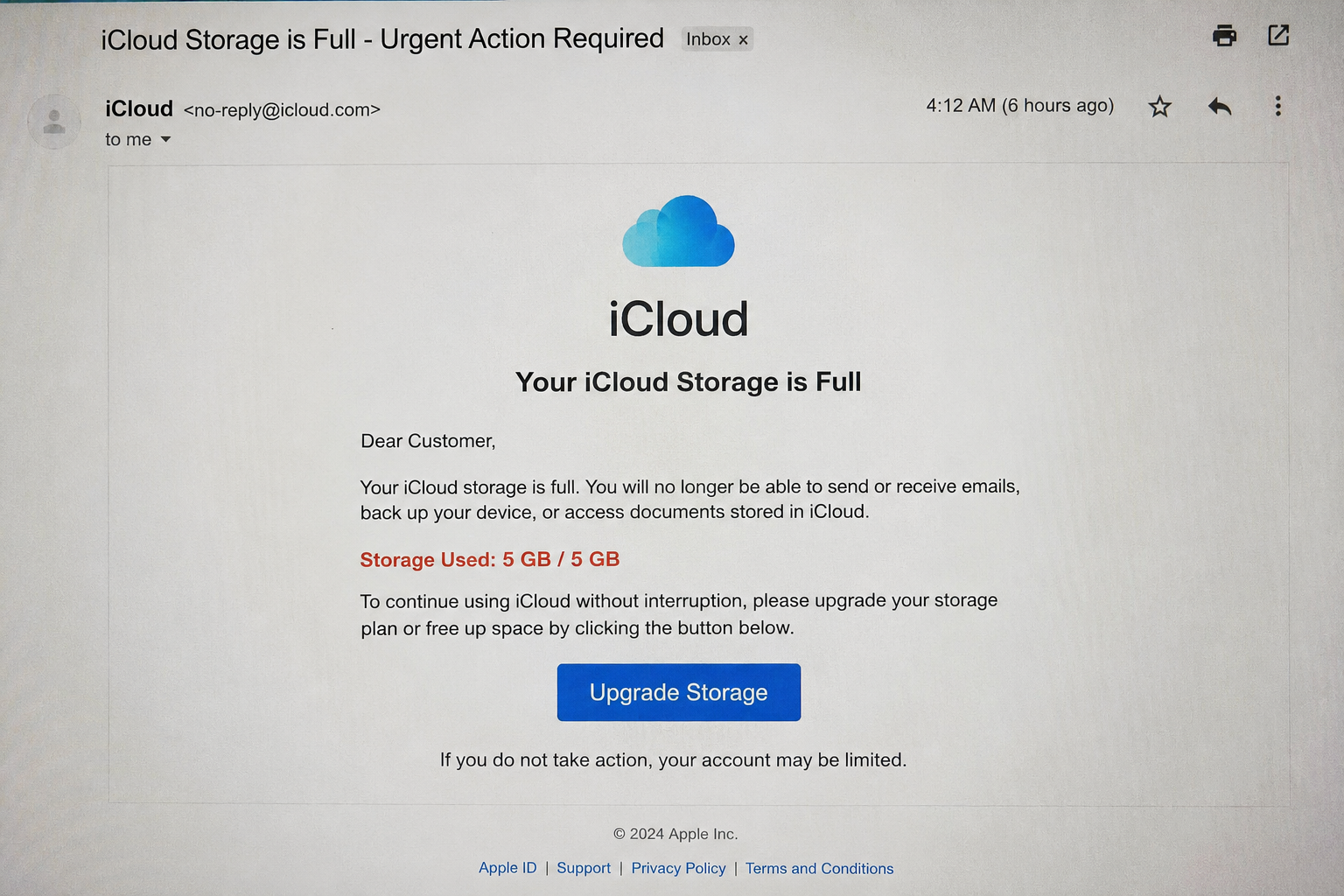
You should always treat with great suspicion emails from unknown people and sources that you do not know and from these 10 points below.

  1. Any email that claims you have inherited anything
  2. Any email from a bank saying you need to change your password , change your details
  3. Any survey that comes in saying click here to confirm your details or activate the survey
  4. Any email from a broadbaand provider saying click here to upgrade
  5. Any email saying click here for the new version of your software
  6. Any email that asks for your personal information
  7. Any email that misspells your name or says that you have won a contest
  8. Any email that says you have not responded to my last email
  9. Any email that claims you have a ATO refund
  10. Any email that says your credit card is waiting for collection

Power FM Spot For 19th Sept

On This Week In Technology

in 1999 , An eBay member posts an online auction for two hundred kilos of marijuana. Bidding reaches US$10 million before eBay officials closed the auction down.

Discussion Points

iPhone 5 pre orders for the first 24 hours have passed 2 million for the iPhone 4s it was 1 million in 24 hours 

There is a major update for all iPhone , iPad  users this week with iOS6 expected on Thursday the 20th our time.

There are over 200 new features

Check out the new features here  iOS6 is coming

Make sure you check by plugging your device into your computer and checking updates through iTunes or check through Software Update on your device. 

The Woolworths scam email  , don't fall for it or you will have to cancel your credit card

Details of the woolworths email scam

Make sure you update your Adobe software as it is an ongoing security risk that constantly needs updating , make sure you have the latest version by going to adobe.com and downloading the latest versions.

App Of The Week

How To Paint Anything

This app will show you the correct way to paint numerous things 

Windows 8 - You Don't Need An Antivirus Solution

In Windows 8 you will not need to purchase an anti-virus solution.

That's right , no Norton , McAfee , AVG , Kaspersky and so on as Windows 8 has it all built in with their solution , Windows Defender which also includes anti-virus and anti-malware solutions.

If you think about it , who better to handle all this than the people that actually cause the vulnerabilities in Windows than the makers themselves.

It really is Microsoft saying to the manufacturers , appreciate what you have done in the past but it is up to us now.

Also remember it really boils down to a few small things:

  • Keep the operating system up to date
  • Keep software up to date
  • Don't install , what I would call , crap
  • Don't click links in emails

And lastly , have an anti-virus solution.

Power FM Segment For 15th August

On This Week In Technology

In 1877 Thomas Edison makes the first-ever audio recording, “Mary Had a Little Lamb.”

Discussion Points

Bill Gates wants to reinvent the toilet

Bill Gates And 200 Litres Of Poo

Windows XP , you need to stay secure as it is getting quiet old and unsecure

You need to go into windows update at least once a month manually and select " custom" as there are important updates in there.

Make sure you keep Adobe Flash and Adobe Reader up to date and do any updates

Passwords for sites , a couple of do's and don'ts

Have a separate password for major sites where you buy 

  • Google
  • Apple
  • Microsoft
  • Amazon

Make sure your password is a combination of letters , numbers and have at least one uppercase letter in it.

App Of The Week

Smart Dresser Virtual Changing Room

See what you look like in the latest fashion 

Smart Dresser For iPhone & iPad

Same Email Address For Hotmail & Facebook You Could Be In Trouble

I am still getting queries on Hotmail accounts that have been accessed and hacked.

In some cases their Facebook account has also been compromised as their sign in email address and password were the same as their Hotmail account.

So what to do?

Log in to your account , if you can , and change your password

Reset Your Hotmail Password

Make sure your password is different by having a combination of letters and numbers and have an upper case letter in there. Do not use a word that is in the dictionary.Do not use your business name.

Next log in to Facebook and change that password to another different one from your Hotmail account.

While you are in Hotmail you should change to Outlook.com and grab an alternative email address.

Next on your Microsoft Account add in:

  • A Phone Number
  • An Alternate email address
  • And Change Your Secret Question

Firewalls , How Many Is Enough?

How many firewalls does one computer need?

I am asked that question many times when seeing some people's setup.

I have seen setup's with:

  • Windows Firewall
  • Antivirus Firewall ( The big antivirus packages usually have a firewall solution as well )
  • Software Firewall ( usually Zonealarm , or Comodo )
  • Hardware Firewall ( Your Router )

This really is overkill and can result and does result in a dramatic slowdown of your system.

Your router is the best firewall ( making sure plug n play is turned off ) and along with the Windows Firewall is more than sufficient.

In Trouble Don't Forget System Restore

If you see that there is an issue with your computer that has suddenly appeared , try system restore.

This can be a lifesaver especially if you have just installed something on your computer and it has gone horribly wrong and in some cases if you have just picked up a virus infection on your computer.

You are then able to pick a date to " rewind " your computer to a time when it was working properly.

It will only affect your Windows operating system not your documents

So how do you start System restore?

  • In Windows 7 , Go to Start , Accessories , System Tools , System Restore 
  • Windows Vista, Go to Start , Accessories ,System Tools , System Restore 
  • Windows XP , Go to Start , Accessories , System Tools , System Restore

If you are having issues getting system restore to work , try starting in safe mode.

You do this by pressing ( in most cases ) F8 when restarting your computer , you then have a choice to start your computer normally , safe mode , and networking. Try safe mode.

If you cannot run System Restore in Safe Mode , you may have serious issues which need further consideration and usually means Windows is damaged or infected.

Power FM Spot For 4th June

On This Week In Technology

1977 The VHS video cassette was introduced in America

1975 Sony introduced the 1st home video recorder the betamax

What To Consider When Buying A New Phone 

  • See a working model
  • Type on it
  • Can you see the screen
  • Will it work in your area?
  • Is the menu easy to navigate
  • What is the camera like
  • Do you need a smartphone
  • Plan :Cap , monthly , pre paid 

Software Pick 

Microsoft Security Essentials the free solution to virus prevention made by Microsoft for windows computers.

Here is what I tell clients 

It puts a green " castle " in the bottom right hand side of your screens toolbar.

All you have to remember with this is " green is good" , orange "i want you to do something "( usually a quick scan or an update), red " I really want you to do something"( you didn't do the orange instructions)

Microsoft Security Essentials can be used in a business with up to 10 computers

Also check out my 10 Steps To Prevent Virus Infection


Stop Skype Loading At Startup & Stop People Not On Your Contact List From Contacting You

Skype is a program that enables you to make calls over the internet to and from your computer , smartphone , tablet.

When you are calling Skype to Skype these phone calls will be free.

Some of the features of Skype are:

  • Video Calling
  • Calling to landlines 
  • Connect with Facebook for video calling 

Stop Skype From Loading At Startup

You may not want Skype running continuously in the background as in some instances this can chew through bandwidth.

When installing in Windows READ the installation screen

Remove the tick from " Sign me in when Skype starts"

But what happens if you forget this.

Go to Skype , tools , options , general settings

Remove the tick from " Start Skype When I Start Windows "

If you are on a mac then go to "System Preferences"

Go to Users & Groups , then Login Items

Hilite Skype on the login items and press the - icon.

This will stop Skype from loading at startup

Stop People Not On Your Contact List From Contacting You

Go to Skype options 

Open Privacy settings

Highlight the "Only allow people in my contact list to contact me"

Press Save